VEO3 prices just dropped. Text starts at 200 credits, image starts at 250, and Seedance 2.0 is now available.

Seedance 2.0上线福利:现在即可开始

Seedance 2.0 AI 视频生成器

Seedance 2.0 是新一代 AI 视频生成器,可将想法转化为流畅、精准的电影级短片。快速完成分镜、预览与营销素材制作。

AI Model
Seedance 2.0With Audio

Multimodal input with powerful reference capabilities

Reference Images
0/9
Reference Videos
0/3 · total 15s
Reference Audios
0/3 · total 15s
Prompt
0/5000
Resolution
Duration
5s
1s5s10s15s
Drag in 1-second steps to match the requested output length.
Aspect Ratio
Cost250credits
Available 0
50 credits/s · 480p · without video input
Output preview

Your output will appear here once the task is submitted and completed.

Multi Reference Guide

Combine reference images, videos, and audio to guide motion, styling, and pacing with higher precision.

Prompt Notes

Type @ references in your prompt description when you want explicit material cues.

Workflow Notes
  • Use at least one image or video reference alongside your prompt.
  • Describe how each material should influence composition, motion, or atmosphere.
  • Avoid real human face references if your workflow requires strict compliance.
Model: Seedance 2.0
Seedance 2.0 Readme

Built for faster direction, cleaner motion, and stronger visual control

This page follows the structure of the Seedance 2.0 readme and adapts it to the darker, cinematic style already used across the site. The emphasis is on how the model handles mode selection, action clarity, multimodal guidance, and faster creative iteration.

Standard mode

Use the slower path when shot quality matters most. It is better suited to final drafts, polished motion, and scenes where framing and continuity need to stay tight.

Fast mode

Use the fast path for concepting and iteration. It helps teams test alternate prompts, pacing, and compositions without waiting on a full-quality pass each time.

Core Direction

Seedance 2.0 leans into cinematic workflows

The product positioning is less about one-click novelty and more about controllable generation. The useful pattern is simple: block the scene quickly, test several directions in Fast mode, then move to a higher-fidelity pass when pacing, framing, and story beats are locked.

Action that stays readable

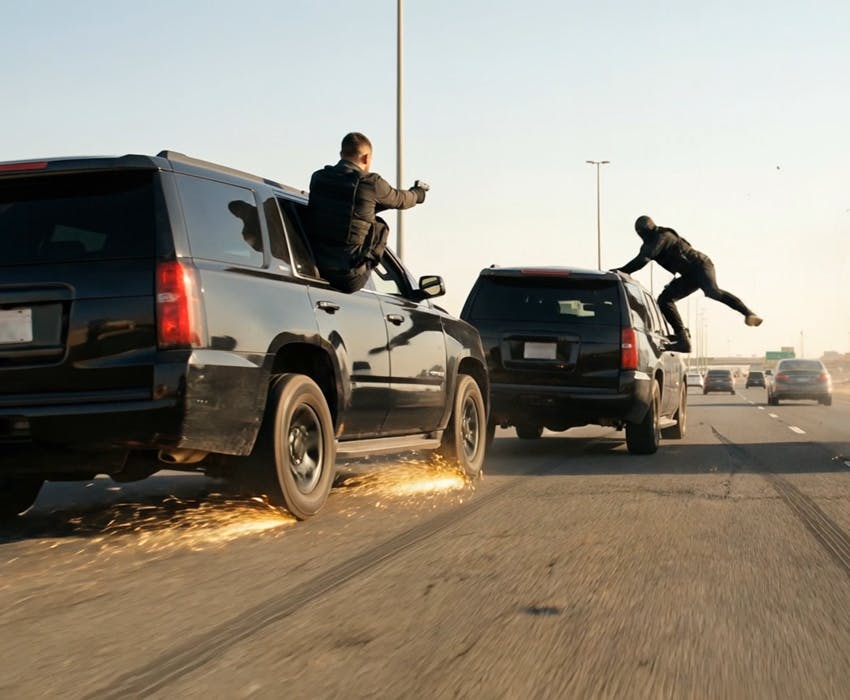
The model direction emphasizes motion clarity under pressure, making chase beats, impact moments, camera sweeps, and dynamic blocking feel easier to follow.

Multimodal control

Start from text, a single image, start and end frames, or multiple references to steer identity, styling, and shot intent more precisely.

Stronger prompt alignment

Complex scene instructions hold together more reliably, especially when prompts combine environment, subject detail, camera direction, and timing cues.

What changed

Highlights in 2.0

More accurate semantic understanding for layered prompts and shot instructions.

Better temporal consistency so subjects and scene details drift less across a clip.

Higher confidence in action-heavy sequences with cleaner motion arcs.

Reference-led generation that is more usable for character, product, and style continuity.

Faster creative iteration loops when you need to test multiple directions quickly.

A workflow that fits trailers, social ads, product teasers, and storyboard previews.

Multimodal Workflow

Better control when you do not start from text alone

The readme places real emphasis on guided generation. This is where Seedance 2.0 becomes more practical for production teams that need repeatability rather than one-off experiments.

Single-image starting point

Turn one keyframe into a moving shot while preserving the core composition and mood.

Start / end frame guidance

Define where the shot begins and where it lands so movement has a clearer destination.

Multi-reference consistency

Feed several references to keep subject attributes, materials, or visual language more stable.

Sound-aware creative direction

Plan scenes with ambience and rhythm in mind so the visual pacing supports the intended tone.

How teams use it

Practical production scenarios

1

Rapid campaign mockups for paid social and product launches.

2

Previsualization for short films, trailers, and storyboard testing.

3

Character motion studies where pose, expression, and timing need to stay coherent.

4

Image-led scene expansion for moodboards, concept art, and pitch decks.

Recommended flow

A simple 3-step working pattern

Step 1

Block the idea fast

Write the scene in plain language, including subject, environment, mood, and camera movement. Use Fast mode to compare variants quickly.

Step 2

Add visual anchors

When continuity matters, move to image-led inputs, start and end frames, or several references to lock look and motion intent more tightly.

Step 3

Finalize the stronger take

Once the shot language is working, switch to the higher-quality path and polish the prompt until the final clip feels directed rather than accidental.

FAQ

Questions teams usually ask before switching workflows

What is Seedance 2.0 best at?

It is strongest when you need cinematic short-form clips with better motion readability, clearer prompt following, and more control from image or reference inputs.

When should I choose Fast instead of Standard?

Use Fast for exploration and approvals. Use Standard when the shot direction is locked and you want a cleaner result for delivery.

Can it work from images instead of pure text?

Yes. The workflow design supports image-led generation, including single-image starts and reference-based control.

Why is it useful for action scenes?

The model direction focuses on preserving readable motion and stronger shot continuity when scenes become more dynamic.

Is it only for film-style clips?

No. The same control model is useful for ads, product demos, social content, animatics, and brand experiments.

How should I prompt it?

Describe subject, environment, camera move, pacing, and desired mood together. Add visual references when consistency matters.

Start Here

Open the generator and test a Seedance-style workflow

Use the generator above to iterate on scene ideas, then refine your framing, references, and pacing until the clip is ready for delivery.